AI Workflow Automation: How It Works, Benefits & Use Cases

By Tausif AhmedFounder and CTO
What Is AI Workflow Automation?
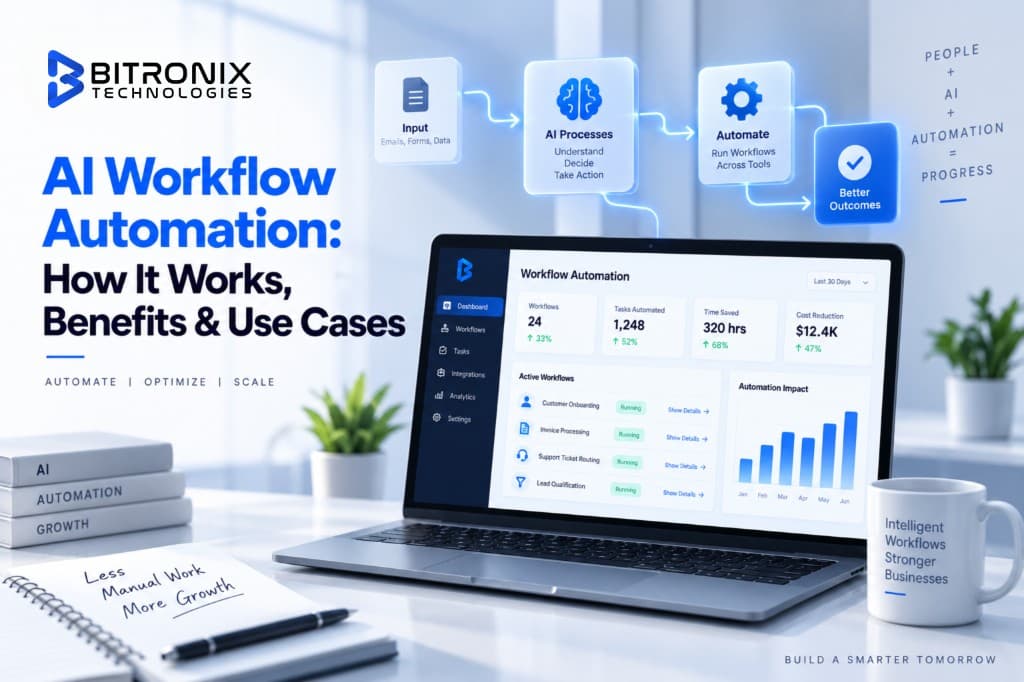
AI workflow automation is the use of artificial intelligence within a business workflow to understand information, make decisions and complete connected tasks automatically or with limited human involvement.
Traditional workflow automation generally follows predefined instructions.
For example:
If a customer fills out a form, add the customer to the CRM.
That works well when the information is predictable.
But businesses rarely receive perfectly structured information.
A customer may write:
"Hi, I'm looking for a solution for around 50 employees. We currently use another platform, but our support team is struggling with response times. Can someone explain your pricing and integration options?"
A basic automation may simply record the form submission.
An AI-powered workflow can understand what the customer is asking, identify the likely business requirement, classify the lead, extract relevant information and determine what should happen next.
That is where AI adds another layer to workflow automation.
Instead of only asking:
"What rule should I follow?"
the workflow can also ask:
"What does this information mean and what should happen next based on the defined process?"
AI workflow automation can therefore combine:
- AI models
- Business rules
- APIs
- CRM systems
- Databases
- Communication tools
- Documents
- Workflow platforms
- Human approvals
- Monitoring and reporting
The result is a connected process rather than a collection of individual AI tools.
How Does AI Workflow Automation Work?
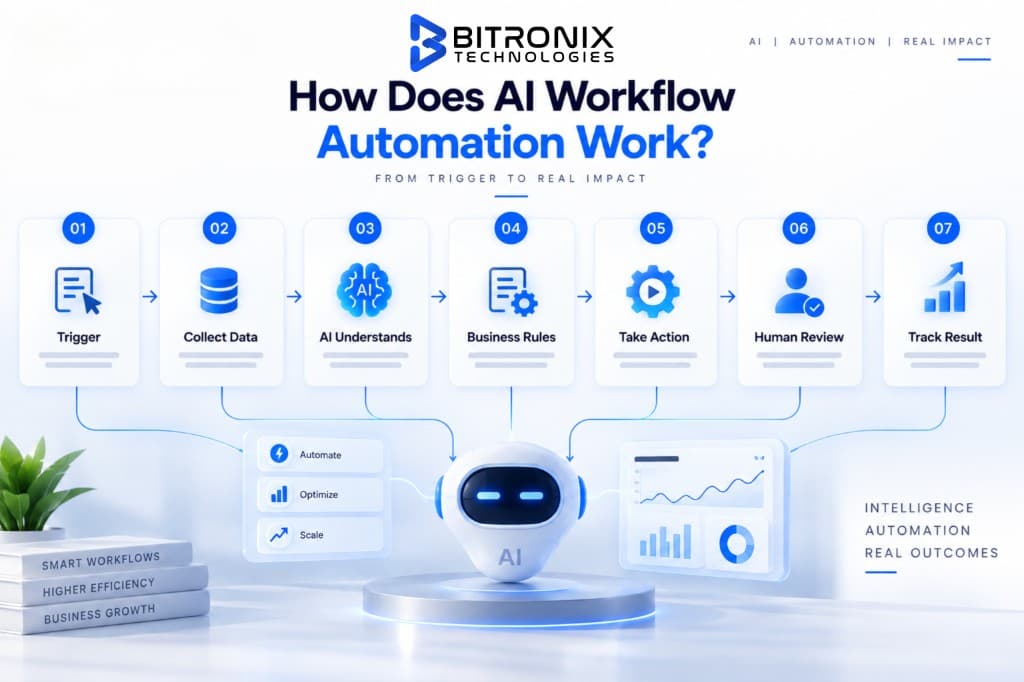
A useful way to understand an AI workflow is to break it into a series of steps.
1. A Trigger Starts the Workflow
Every workflow needs a starting point.
The trigger could be:
- A website form submission
- A new email
- A customer support ticket
- A new CRM record
- An uploaded document
- A payment received
- A new order
- A calendar event
- A new job application
- A customer message
- A database update
- A scheduled event
For example:
New lead submits a website form → workflow starts.
The trigger tells the automation that something needs attention.
2. The Workflow Collects Information
The system then gathers the information required to complete the process.
This might include:
- Customer details
- Previous conversations
- CRM records
- Product information
- Order history
- Company information
- Internal documents
- Pricing information
- Support history
- Business rules
This step is important because AI should not operate without context.
If a workflow only looks at one message while ignoring the customer's previous interactions, it may produce the wrong result.
A well-designed workflow gives the AI the information it actually needs.
3. AI Understands the Information
This is where the AI layer becomes useful.
Depending on the workflow, AI may:
- Classify information
- Extract important details
- Summarize documents
- Understand customer intent
- Identify urgency
- Categorize requests
- Analyze sentiment
- Compare information
- Generate a response
- Recommend an action
- Detect missing information
For example, an incoming support email could be classified as:
Category: Billing Priority: Medium Customer: Existing customer Request: Invoice clarification Next action: Route to billing team
The workflow can then continue based on that result.
4. The Workflow Makes a Decision
The AI output does not always mean the workflow should immediately take action.
Business rules can determine what happens next.
For example:
If lead score is high → assign to sales manager
If lead score is medium → send automated follow-up
If lead score is low → add to nurture campaign
Or:
If refund amount is below approved limit → process automatically
If refund exceeds limit → send for human approval
This combination of AI and business rules is important.
AI provides flexibility.
Business rules provide control.
5. The System Takes Action
Once the next step is determined, the workflow can perform the required action.
For example:
- Update a CRM
- Send an email
- Create a task
- Assign a ticket
- Generate a document
- Send a Slack or Teams notification
- Update a database
- Create an invoice
- Schedule a meeting
- Move a customer to another pipeline stage
- Trigger another workflow
The workflow is no longer simply "using AI."
It is using AI to move work forward.
6. Human Review Can Be Added
Not every decision should be fully automated.
A strong AI workflow should know when to involve a person.
For example:
A customer asks for a refund of $50.
The workflow may process it automatically.
A customer requests a refund of $20,000.
That should probably go to an authorized employee.
The same principle applies to:
- Legal documents
- Financial decisions
- Sensitive customer issues
- Compliance actions
- High-value transactions
- Employment decisions
- Security incidents
This is often called a human-in-the-loop workflow.
The objective is not to remove people from every process.
The objective is to remove unnecessary manual work while keeping people involved where their judgment matters.
7. The Workflow Records the Result
A mature workflow should also record what happened.
For example:
- What triggered the workflow?
- What information did AI process?
- What decision was made?
- What action was taken?
- Was human approval required?
- How long did the process take?
- Did the workflow fail?
- Was the result accepted or corrected?
This information becomes valuable for monitoring and improving the automation.
AI Workflow Automation Example
Let's take a simple sales example.
Imagine a company receives 200 leads every week.
Without automation, the process may look like this:
That can consume a significant amount of time.
With AI workflow automation:
The salesperson receives a qualified opportunity instead of a raw form submission.
The human still controls the relationship.
The workflow simply removes the repetitive preparation work.
AI Workflow Automation vs Traditional Automation
These two concepts are related, but they are not exactly the same.
Traditional Automation
Traditional automation usually works with predefined rules.
For example:
If an order is placed, send a confirmation email.
It is predictable and works very well for structured processes.
AI Workflow Automation
AI-powered workflows can handle information that is harder to structure.
For example:
Read the customer's message, identify their issue, determine its category, check their account information and route the request to the appropriate team.
The difference is not that traditional automation is outdated.
It is actually very useful.
The better approach is often to combine both.
A practical workflow may look like:
This allows AI to handle the parts that require interpretation while conventional automation handles predictable steps.
AI Workflow Automation vs AI Agents
These terms are often used together, but they are not identical.
An AI workflow usually follows a defined process.
For example:
An AI agent can have more freedom to decide how to accomplish a goal.
For example:
"Research this prospect and prepare a sales brief."
The agent may decide which sources to use, gather information, summarize it and create the final output.
In many business systems, both approaches can work together.
An AI agent can perform a complex task inside a larger workflow.
For example:
This combination can create more flexible business processes while still keeping the overall system controlled.
Key Benefits of AI Workflow Automation
1. Less Repetitive Manual Work
Employees spend a surprising amount of time copying information, checking emails, updating systems, preparing documents and sending routine follow-ups.
AI workflow automation can take over many of these repetitive activities.
The benefit is not simply fewer clicks.
It gives employees more time for work that requires communication, judgment, creativity and problem-solving.
2. Faster Business Processes
Manual processes often depend on someone's availability.
A lead may wait until the next morning.
A support ticket may sit in a queue.
An invoice may wait for review.
An AI-powered workflow can start immediately when the required trigger occurs.
That can reduce unnecessary waiting between steps.
3. Fewer Manual Errors
Copying data from one system to another creates opportunities for mistakes.
A workflow can consistently:
- Extract information
- Validate fields
- Update systems
- Apply business rules
- Create records
- Send notifications
This does not mean automation is error-free.
Poorly designed automation can create new errors.
The goal is to reduce avoidable human mistakes through a controlled process.
4. Better Response Times
Customers expect quick responses.
Sales teams want leads followed up while interest is still high.
Employees need information when they need it.
AI workflow automation can shorten the time between an event and the next action.
For example:
Customer inquiry → AI classification → knowledge retrieval → response draft → human review
Instead of waiting for someone to manually collect the information, the first stage can happen automatically.
5. Better Use of Existing Business Data
Most businesses already have valuable information stored in:
- CRMs
- Help desks
- Emails
- Documents
- Databases
- Project management systems
- ERP platforms
The problem is often that the information is spread across different systems.
AI workflows can connect these systems and use relevant information during a process.
This can make existing business software more useful without replacing everything.
6. More Consistent Processes
A workflow creates a standard way of handling common tasks.
For example, every new lead can go through the same qualification process.
Every support request can follow the same routing rules.
Every invoice can go through the same approval stages.
Consistency becomes particularly valuable as a company grows.
7. Easier Scaling
When business volume increases, companies often add more people to handle repetitive work.
Automation can help absorb additional workload without increasing manual effort at the same rate.
For example:
A support team handling 500 tickets may struggle when volume reaches 1,500.
An automated triage system can classify, prioritize and route incoming requests before they reach the support team.
The human team can then focus on cases that genuinely need attention.
AI Workflow Automation Use Cases
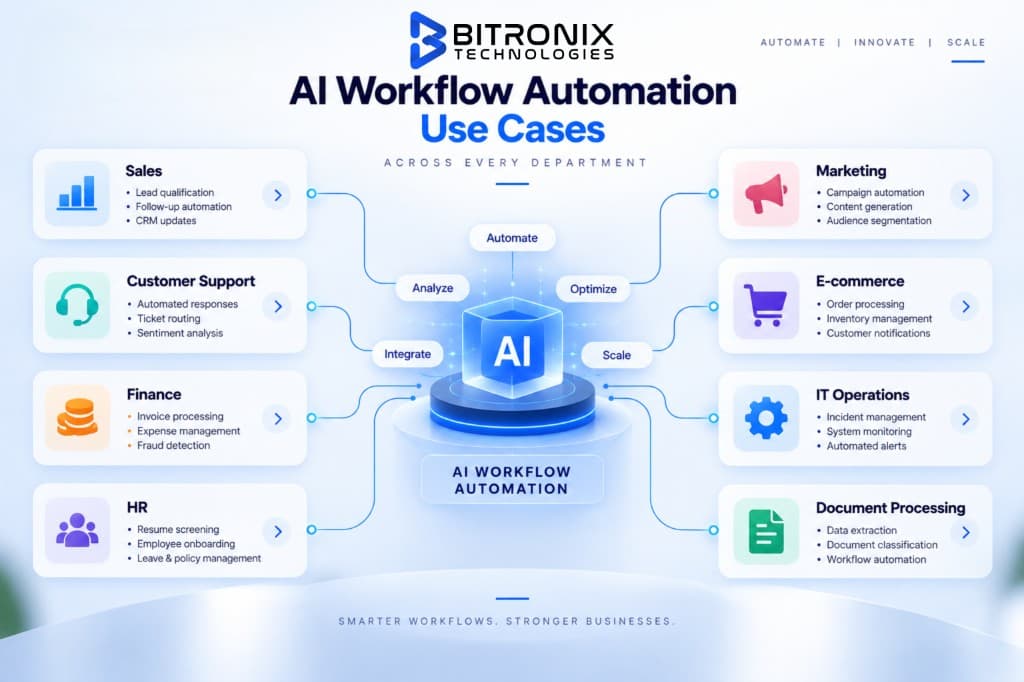
AI workflow automation can be applied across almost every department.
Here are some of the most practical examples.
1. Sales Lead Qualification
A new lead arrives through a website.
The workflow can:
The salesperson receives a more useful lead record without manually preparing it.
2. Customer Support Automation
Customer support generates a large volume of repetitive work.
An AI workflow can:
- Read incoming tickets
- Identify customer intent
- Detect urgency
- Categorize the issue
- Find relevant knowledge
- Draft a response
- Assign the ticket
- Escalate sensitive cases
- Update the customer record
For example:
Customer email → AI classification → knowledge lookup → response draft → human approval → customer reply → CRM update
This creates a connected process rather than a standalone chatbot.
3. Invoice Processing
Finance teams often receive invoices through email or document uploads.
An AI workflow can:
This can significantly reduce repetitive data entry.
4. Document Processing
Businesses deal with contracts, applications, forms, reports and other documents every day.
AI can help:
- Extract information
- Classify documents
- Summarize content
- Identify missing fields
- Compare documents
- Route documents
- Trigger follow-up actions
For example:
5. HR and Recruitment
Recruitment can also benefit from workflow automation.
A workflow may:
- Collect applications
- Extract candidate information
- Organize resumes
- Identify relevant skills
- Schedule interviews
- Send candidate communication
- Update applicant tracking systems
- Create interview summaries
Human recruiters should remain responsible for important hiring decisions.
AI can support the process rather than becoming the final decision-maker.
6. Marketing Automation
Marketing teams manage multiple repetitive activities.
AI workflow automation can help with:
- Lead segmentation
- Content repurposing
- Campaign reporting
- Email personalization
- Lead scoring
- Customer segmentation
- Social media workflows
- Content classification
- Performance summaries
For example:
New campaign data → AI analyzes performance → identifies important changes → generates summary → sends report to marketing team
7. E-commerce Operations
Online stores have many repetitive workflows.
AI can assist with:
- Order classification
- Customer inquiries
- Product recommendations
- Return requests
- Review analysis
- Inventory alerts
- Customer segmentation
- Post-purchase communication
The automation can connect the store, CRM, support platform and communication systems.
8. IT Operations
IT teams can automate routine requests such as:
- Ticket classification
- Password reset workflows
- System alerts
- Incident routing
- Knowledge retrieval
- Internal IT requests
- Status notifications
AI can help understand the request before the workflow determines what should happen.
10 Practical AI Workflow Automation Examples
Here are some simple examples businesses can understand immediately.
Example 1: Website Lead
Example 2: Support Request
Example 3: Invoice
Example 4: Recruitment
Example 5: Sales Follow-Up
Example 6: Customer Feedback
Example 7: Document Approval
Example 8: E-commerce Return
Example 9: Internal Request
Example 10: Reporting
How to Identify a Good Workflow for AI Automation
Not every process should be automated.
This is one of the most important points businesses should understand before starting an AI automation project.
A good candidate usually has several of these characteristics:
It happens frequently
If a task happens every day or every week, automation may have a meaningful impact.
It takes significant manual time
A process that consumes several hours each week is worth investigating.
It follows a repeatable pattern
Automation works better when there is a reasonably clear process.
It uses digital information
Email, documents, CRM records, forms, databases and messages are easier to connect into digital workflows.
The outcome can be measured
You should be able to measure improvement.
For example:
- Processing time
- Response time
- Cost per task
- Number of errors
- Conversion rate
- Resolution time
- Employee hours saved
It does not require constant subjective judgment
Some processes are too dependent on human context to automate fully.
In those situations, partial automation may be better.
How to Implement AI Workflow Automation Step by Step
A successful AI workflow should not start with:
"Which AI tool should we buy?"
It should start with:
"Which business process are we trying to improve?"
Here is a practical implementation process.
Step 1: Select One Business Process
Start small.
Choose one process that has a clear problem.
For example:
- Lead qualification takes too long.
- Support tickets are difficult to route.
- Invoice processing is manual.
- Employees spend too much time preparing reports.
Do not try to automate the entire company on day one.
Step 2: Map the Existing Workflow
Document what happens today.
For example:
This reveals where the real bottlenecks are.
Step 3: Identify the Manual Steps
Separate the workflow into:
Can be automated
and
Requires human judgment
For example:
| Task | Automation Potential |
|---|---|
| Capture lead | High |
| Extract information | High |
| Research company | High |
| Lead scoring | Medium/High |
| Final sales decision | Human |
| CRM update | High |
| Email draft | High |
| Enterprise negotiation | Human |
This prevents over-automation.
Step 4: Define the Business Rules
AI should not be given unlimited freedom.
Define:
- What qualifies as a good lead?
- What information can be processed?
- What actions can be automated?
- What requires approval?
- What happens when information is missing?
- What happens when the AI is uncertain?
- Who owns exceptions?
Clear rules make workflows safer and easier to manage.
Step 5: Connect Your Existing Systems
The workflow may need access to:
- CRM
- ERP
- Help desk
- Calendar
- Database
- Payment platform
- Internal knowledge base
- Communication tools
APIs and integrations allow these systems to exchange information.
Step 6: Add the AI Layer
Now determine where AI actually adds value.
It could be used for:
- Classification
- Extraction
- Summarization
- Decision support
- Content generation
- Data analysis
- Natural-language understanding
Do not use AI simply because the project is called "AI automation."
If a simple rule can do the job reliably, use the simple rule.
That can make the workflow faster, cheaper and easier to maintain.
Step 7: Add Human Approval Where Needed
Create clear approval points.
For example:
This is especially important for sensitive workflows.
Step 8: Test With Real Scenarios
Do not test only with perfect examples.
Use:
- Normal cases
- Incomplete information
- Wrong information
- Unusual requests
- Duplicate records
- Conflicting data
- High-risk situations
A workflow is only useful if it can handle the situations employees actually encounter.
Step 9: Launch With Monitoring
Once the workflow goes live, monitor:
- Success rate
- Error rate
- Processing time
- Human intervention
- API failures
- AI accuracy
- Cost
- Business outcome
Automation should not be treated as a "set it and forget it" project.
Step 10: Improve the Workflow
After collecting real-world results, improve:
- Prompts
- Rules
- Integrations
- Approval stages
- Data quality
- AI models
- Exception handling
This turns the initial automation into a stronger business system over time.
What Technology Powers AI Workflow Automation?
AI workflow automation usually combines several technologies rather than relying on one tool.
AI Models
Large language models and other AI models can handle tasks such as:
- Text understanding
- Classification
- Summarization
- Extraction
- Generation
- Reasoning
Workflow Orchestration
The orchestration layer determines:
- What happens first?
- What happens next?
- Which system should be called?
- When should a person review the result?
APIs
APIs allow the workflow to communicate with external applications.
For example:
AI system ↔ CRM ↔ email platform ↔ database
Databases
Business information can be stored and retrieved during the workflow.
Business Rules
Rules provide boundaries around what the system can do.
Monitoring
Monitoring helps teams identify failures, unexpected outputs and performance issues.
How Much Does AI Workflow Automation Cost?
There is no single price for AI workflow automation.
The cost depends on what is being automated and how deeply it needs to integrate with existing systems.
A simple workflow may only require:
- One trigger
- One AI step
- One or two integrations
- Basic monitoring
A larger enterprise workflow may require:
- Multiple AI models
- Several business systems
- Custom APIs
- Data processing
- Authentication
- Human approval
- Security controls
- Monitoring
- Custom dashboards
- Ongoing maintenance
Major factors that affect cost
1. Workflow complexity
More steps generally require more development.
2. Number of integrations
Connecting multiple systems increases implementation effort.
3. AI requirements
Simple classification is different from complex reasoning or document analysis.
4. Data requirements
Clean, structured data is easier to work with than scattered or inconsistent information.
5. Security requirements
Sensitive business information may require additional controls.
6. User volume
A workflow processing hundreds of requests is different from one processing millions.
7. Ongoing maintenance
AI workflows need monitoring and updates as business processes and connected systems change.
The best way to estimate cost is to first define the workflow, systems involved, expected volume and desired outcome.
How to Measure AI Workflow Automation ROI
Automation should be measured by business outcomes rather than simply counting how many AI tools were deployed.
Before implementation, record a baseline.
For example:
Current process
- 500 requests/month
- 8 minutes per request
- 66 hours/month
- 5% error rate
After automation:
- 500 requests/month
- 2 minutes of human handling
- 17 hours/month
- 2% error rate
Now the business can see what actually changed.
Useful KPIs include:
- Time saved
- Cost per transaction
- Processing time
- Error rate
- Response time
- Conversion rate
- Customer satisfaction
- Employee productivity
- Number of automated tasks
- Human intervention rate
The most important question is:
Did the workflow improve the business process?
Not:
Did we use AI?
Common Mistakes in AI Workflow Automation
1. Automating a Broken Process
If the existing workflow is confusing, automating it may simply make the confusion happen faster.
First improve the process.
Then automate it.
2. Trying to Automate Everything
Not every business process needs AI.
Start with one workflow where the potential benefit is clear.
3. Using AI Where Rules Are Enough
If a simple condition can solve the problem, you may not need an AI model.
AI should be used where interpretation or flexible handling adds real value.
4. Ignoring Human Oversight
Some decisions require human judgment.
Build approval and escalation paths into the workflow.
5. Poor Data Quality
AI cannot magically fix missing or unreliable business data.
Clean data and clear information sources are essential.
6. Forgetting Exception Handling
A workflow should define what happens when:
- Information is missing
- The AI is uncertain
- An API fails
- A customer gives an unusual request
- Systems disagree
- A rule does not apply
A good workflow is designed for exceptions, not just the perfect scenario.
7. Measuring the Wrong Thing
Counting AI interactions does not prove business value.
Measure:
time saved + cost reduced + quality improved + revenue supported
Is AI Workflow Automation Suitable for Small Businesses?
Yes.
Small businesses do not necessarily need a large automation system.
In many cases, one well-designed workflow can make a noticeable difference.
For example:
Website lead → qualification → CRM → personalized email → sales notification
could eliminate several manual steps without changing the entire technology stack.
Other useful starting points include:
- Customer inquiry routing
- Appointment scheduling
- Invoice processing
- Lead follow-ups
- Customer feedback analysis
- Internal reporting
The important part is to start with a workflow that happens often enough to justify the investment.
Is AI Workflow Automation Suitable for Enterprises?
Enterprise businesses can benefit from larger and more connected workflows.
An enterprise workflow may connect:
- CRM
- ERP
- HR systems
- Customer support
- Internal databases
- Finance systems
- Document repositories
- Communication platforms
At this level, governance becomes especially important.
Enterprises should consider:
- Access control
- Data security
- Auditability
- Approval processes
- Monitoring
- Model selection
- Integration reliability
- Data governance
- Human oversight
The goal is not simply to automate more.
The goal is to create reliable workflows that can operate at scale.
AI Workflow Automation: What Should You Automate First?
If you are starting from scratch, look for processes that score high on these five factors:
High volume
The task happens frequently.
High manual effort
Employees spend significant time completing it.
Clear process
The steps are reasonably well defined.
Digital information
The workflow already uses digital data.
Measurable outcome
You can clearly see whether the process improved.
A simple scoring system can help.
Rate each process from 1 to 5:
| Factor | Score |
|---|---|
| Frequency | 1–5 |
| Manual effort | 1–5 |
| Process clarity | 1–5 |
| Digital data availability | 1–5 |
| Business impact | 1–5 |
Processes with higher scores can become better candidates for an initial AI automation project.
When Should You Use AI Workflow Automation?
AI workflow automation is a strong option when your team repeatedly deals with information that requires some level of interpretation.
Examples include:
- Reading customer emails
- Reviewing documents
- Classifying requests
- Extracting information
- Qualifying leads
- Preparing summaries
- Routing work
- Generating responses
- Updating multiple systems
If the process is simply:
Copy A → paste B
traditional automation may be enough.
If the process is:
AI workflow automation may be a better fit.
The Future of AI Workflow Automation
AI workflow automation is moving beyond individual automated tasks.
Businesses are increasingly looking at complete processes.
Instead of asking:
"Can AI write this email?"
the more useful question becomes:
"Can we redesign the entire customer follow-up process so that AI handles the repetitive parts and our team focuses on qualified opportunities?"
That shift is important.
AI becomes part of the business process rather than a separate tool employees use occasionally.
At the same time, businesses need to remain practical.
More automation does not automatically mean better automation.
The strongest systems will likely combine:
AI + workflow rules + business data + integrations + human oversight
This creates a balance between automation and control.
How to Get Started With AI Workflow Automation
You do not need to automate your entire company at once.
Start with one process.
Step 1
Identify a repetitive workflow.
Step 2
Document how it currently works.
Step 3
Measure how much time and money it consumes.
Step 4
Identify which steps can be automated.
Step 5
Identify where AI is actually useful.
Step 6
Connect the required systems.
Step 7
Add business rules and approval stages.
Step 8
Test the workflow using real-world scenarios.
Step 9
Launch with monitoring.
Step 10
Measure the results and improve the process.
This approach makes AI automation much easier to manage because you are solving a specific business problem rather than trying to implement technology for its own sake.
Why Businesses Are Moving Toward AI-Powered Workflows
The biggest opportunity is not simply saving a few minutes on individual tasks.
It is reducing the amount of manual coordination required between people, systems and information.
Consider a typical business process:
There may be five or six manual handoffs.
AI workflow automation can connect many of these steps.
The process could become:
That is a much more meaningful form of automation.
Final Thoughts
AI workflow automation is not about replacing every manual task with artificial intelligence.
It is about making business processes work better.
The best automation projects start with a real problem:
- Too much manual data entry
- Slow lead response
- Large support queues
- Repetitive document processing
- Delayed approvals
- Poor information flow
- Too many disconnected systems
Once the problem is clear, AI can be added where it actually helps.
A good AI workflow combines intelligent decision-making with reliable automation, business rules, integrations and human oversight.
Start with one workflow.
Measure the result.
Improve it.
Then expand.
That approach is usually more practical than trying to automate everything at once.
If your business has repetitive processes that still depend heavily on manual work, AI workflow automation can help turn those processes into faster, more connected and more manageable systems.
Frequently Asked Questions
What is AI workflow automation?
AI workflow automation uses artificial intelligence within a connected business process to understand information, make decisions and trigger actions with less manual intervention. It can be used for tasks such as lead qualification, customer support, document processing, reporting and internal operations.
How does AI workflow automation work?
A typical AI workflow follows a sequence such as:
Trigger 2. collect information 3. AI analysis 4. business rules 5. action 6. human review if required 7. final result
The exact workflow depends on the business process being automated.
What is the difference between AI automation and workflow automation?
Traditional workflow automation generally follows predefined rules. AI workflow automation adds AI capabilities that can understand unstructured information, classify content, generate responses, extract information and support decisions within the workflow.
Can AI workflow automation replace employees?
AI workflow automation is generally most useful when it removes repetitive work rather than replacing human judgment entirely.
Employees can remain responsible for decisions that require experience, context, creativity, relationship management, or approval.
What business processes can be automated with AI?
Common examples include:
- Lead qualification
- Customer support
- Invoice processing
- Document processing
- Recruitment workflows
- Sales follow-ups
- Marketing operations
- Reporting
- Customer feedback analysis
- Internal requests
- E-commerce operations
Is AI workflow automation expensive?
The cost depends on workflow complexity, integrations, data requirements, AI models, security requirements, usage volume and ongoing maintenance.
A simple workflow can be relatively straightforward, while enterprise workflows involving multiple systems and complex business rules require more development.
Can small businesses use AI workflow automation?
Yes. Small businesses can start with focused workflows such as lead qualification, customer inquiries, appointment scheduling, invoice processing, or follow-up automation.
The best starting point is usually a repetitive process with a measurable business benefit.
What tools are used for AI workflow automation?
AI workflow automation can involve AI models, workflow orchestration platforms, APIs, CRMs, databases, business applications, document processing systems and monitoring tools.
The right technology depends on the workflow rather than using one tool for every business.
Do AI workflows require human approval?
Not always, but human approval is useful for high-risk or sensitive actions.
For example, a business may allow AI to classify a customer request automatically but require a person to approve a large refund or sensitive account change.
How do I know which workflow to automate first?
Start with a workflow that happens frequently, requires significant manual effort, follows a repeatable pattern, uses digital information and has a measurable outcome.
This gives you a clearer way to calculate the value of automation.
What is an AI-powered workflow?
An AI-powered workflow is a business process that uses AI at one or more stages to understand information, generate content, classify requests, extract data, support decisions, or determine the next action.
What is the difference between AI workflow automation and AI agents?
AI workflow automation usually follows a defined process with known stages and rules. AI agents can have more flexibility in deciding how to accomplish a specific goal.
They can also work together, with an AI agent performing a complex task inside a larger automated workflow.
Can AI workflow automation work with existing business software?
Yes. AI workflows can often connect with existing CRMs, databases, ERP systems, email platforms, help desks, calendars, communication tools and other business applications through APIs and integrations.
How long does it take to implement AI workflow automation?
The timeline depends on the workflow.
A simple process with a few integrations may be implemented relatively quickly. Complex enterprise workflows involving multiple systems, security requirements, data processing and approval logic naturally take longer.
The best way to estimate the timeline is to map the workflow before development begins.
How can businesses measure the ROI of AI workflow automation?
Businesses can compare the process before and after automation.
Useful metrics include:
- Hours saved
- Processing time
- Cost per task
- Error rate
- Response time
- Conversion rate
- Employee productivity
- Customer satisfaction
- Human intervention rate
The goal should be measurable business improvement rather than simply deploying AI.

Founder and CTO
Founder and CTO of Bitronix Technologies. Helps businesses design practical AI workflows that connect systems, reduce repetitive work and preserve human oversight.
Related Posts
 AI
AIAugust 6, 20267 min read
AI Automation for Ecommerce: The Complete 2026 Guide
A complete 2026 guide to AI automation for ecommerce: what to automate first, real use cases across marketing, inventory and support, costs and a practical rollout roadmap.
Read article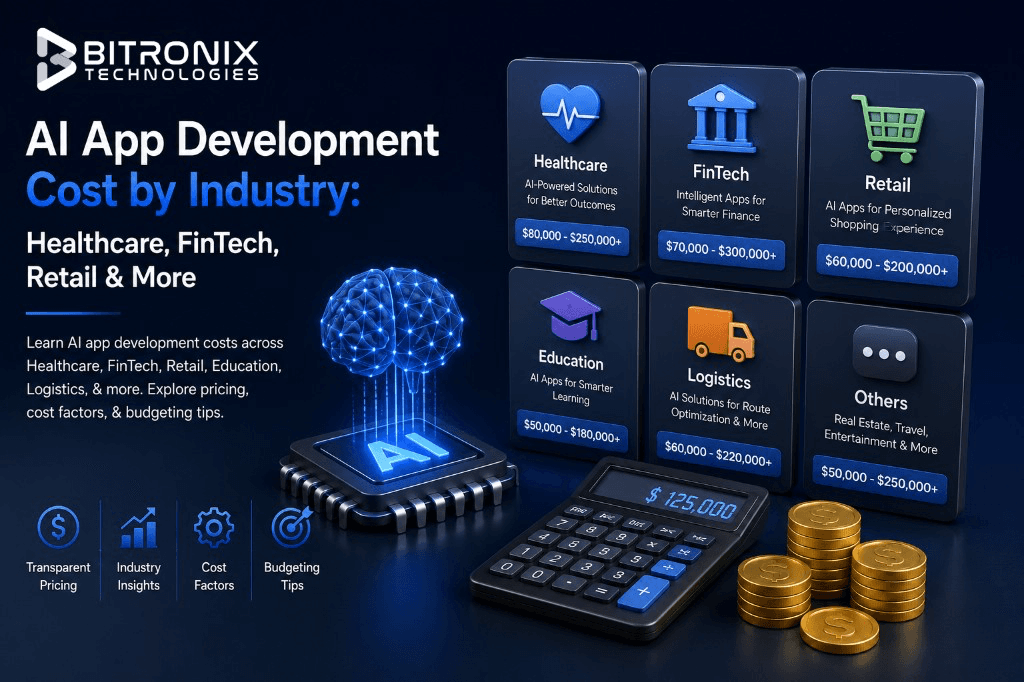 AI
AIJuly 24, 202621 min read
AI App Development Cost by Industry: Healthcare, FinTech, Retail & More (2026 Guide)
Learn AI app development costs across Healthcare, FinTech, Retail, Education, Logistics, & more. Explore pricing, cost factors, & budgeting tips for 2026.
Read article AI
AIJuly 21, 202613 min read
AI App Development in USA: The Complete Guide for 2026 (Costs, Process, & Technologies)
Learn everything about AI app development in the USA, including costs, technologies, development process, AI agents, trends, & business strategies for 2026.
Read article