AI Automation for Enterprises: Real Use Cases & ROI Guide in 2026

Published by Tausif AhmedFounder and CTOUpdated
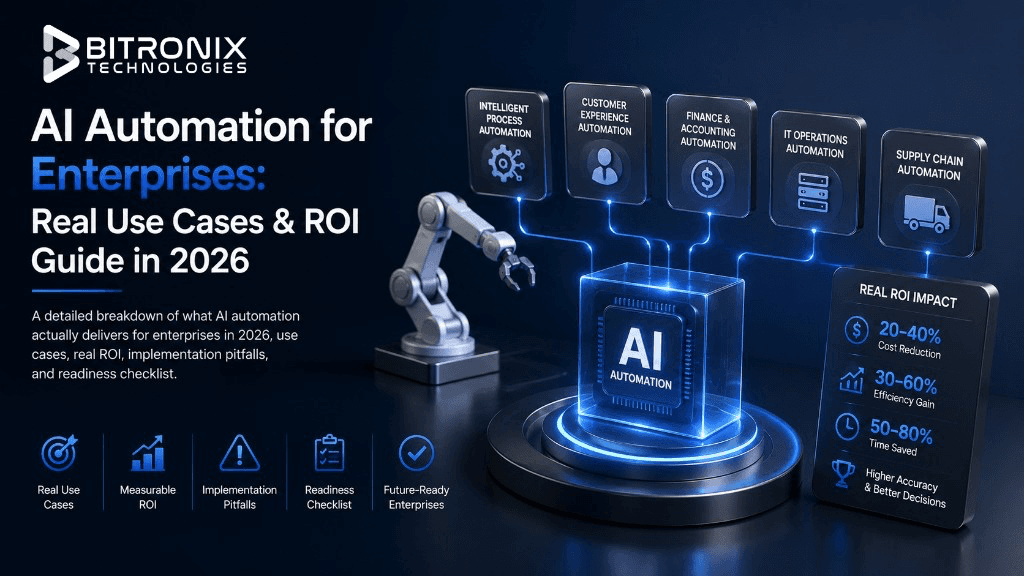
A pitch to companies for AI in 2026 will have many similarities. AI will save time, money and enable growth without the need for expanding the workforce. However, all of these claims leave out the large unknown of whether or not the AI will even work after the initial test run of six days, or what the long-term costs of keeping it running will be.
This guide skips the theory. We've actually deployed a lot of AI automation systems for clients in financial services, logistics and healthcare. For these clients, mistakes are not only costly and embarrassing, but in the case of healthcare, mistakes can also be harmful.
All use cases of AI automation below come from systems we have deployed or have been called in to help fix after a competitor's rollout failed. These include automation failure patterns and are based on our personal/out of our deployments experiences.
If you're evaluating whether AI automation is worth the budget line for your organization in 2026, this should give you enough to make that call honestly.
What "AI Automation" Actually Means for an Enterprise
Let's begin by clarifying the term since it has become unclear. If a marketing site has a chatbot, that is not enterprise AI automation. ChatGPT speeding up email drafting for your employee does not qualify either. Those examples are useful, but they are not the focus of this article.
Enterprise AI automation is a system, typically a combination of large language models, retrieval pipelines and deterministic business logic, that takes over a specific, repeatable, well-defined piece of work your team currently does by hand.
The system sits inside your existing operational workflow, touches real data and produces an output that either goes straight into your systems of record or gets reviewed by a human before it does.
The difference between a tool that someone deploys and a system integrated into a process is important. It differentiates something that is a line item for next year's budget and has a measurable return from a productivity 'nice-to-have' that is not budgeted for.
Why This Distinction Actually Matters?
Most failed AI automation projects fail for one reason and it's almost always the same reason: someone tried to automate a process that was never well-defined to begin with.
Think about it from the system's perspective. AI models, as sophisticated as they might be, require inputs and a consistent definition of a "correct output" for them to learn and act. If the invoice approval workflows in the New York and Chicago offices are entirely different, then the invoice approval automation system is, as far as your organization is concerned, the "twice as fast" confusion system.
The projects that end up being successful focus on careful documentation of practices that are consistent at an organizational level and that take place at a significant volume on a continual basis. The goal of the automation system is to eliminate the manual bottleneck for that system.
The automation process does not create an outline or design the process. It is a common, costly mistake to presume that the AI system will resolve the internal inconsistencies that are present within the organization. It has been our experience that the AI systems will not resolve internal inconsistencies at the organizational level.
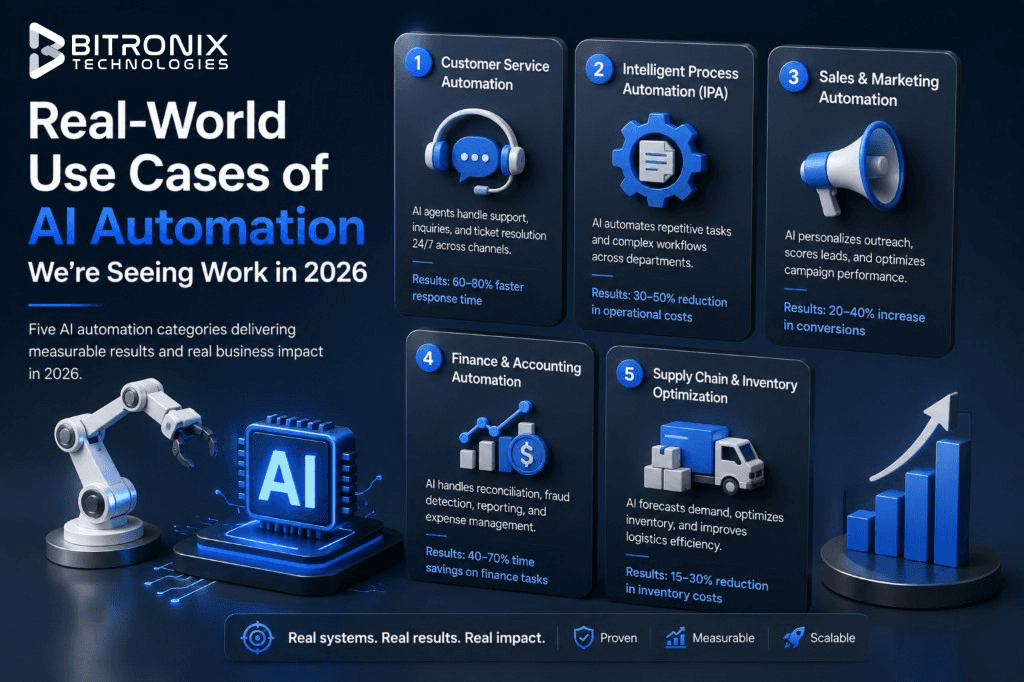
Real-World Use Cases of AI Automation We're Seeing Work in 2026
Here are five categories that have shown measurable results proven by several working systems, not imaginary victories.
1. Document-Heavy Back Office Work
We are now analyzing these results and there is no close second that has come even close to these results. Examples include processing insurance claims, loan/contract underwriting, invoice reconciliation, customer due diligence and know-your-customer (KYC) document review and contract abstraction. If employees are doing workflow and document-related tasks where they have to manually extract and enter data, this category of solutions provides a good fit.
This category solves a myriad of AI-related challenges. The task description is very narrow. The right answer is also very clear. Documents can often be processed at scale and this can be done extremely efficiently.
A concrete example. A mid-sized lending firm we worked with had underwriters manually pulling roughly 40 individual data points from each loan application packet before a decision could even reach the review stage: tax returns, bank statements, ID verification documents, employment letters, sometimes handwritten notes from a previous review. That extraction process alone took an average of 35 minutes per file and underwriters were processing dozens of files a week on top of everything else on their plate.
We have integrated an OCR with an AI solution for document extraction and validation. This solution can now perform in a fraction of the time (less than 3 minutes), including detecting bank statements to ensure they are not falsified, validating signature support to ensure documents have not been altered and validating signing dates and signature pages.
The automation provided clear efficiencies to the underwriters who still performed manual review and sign-off of all loan decisions. Instead of typing numbers, the underwriters spent the time performing review and analysis of the loan much more focus and intensive.
The lesson buried in this example is one that applies across almost every successful automation project we've built: the goal usually isn't removing the human. It's removing the part of the human's job that doesn't require judgment, so the judgment part gets more of their attention, not less.
2. Customer Support Triage, Not Full Replacement
"Fully autonomous AI support" was the big thing every company wanted two years ago. Fast forward to 2026 and most companies have tried to get away from that goal and for good reason. If you analyze the failed attempts at building fully autonomous support agents, you'll see that angry customers and support agents that don't show up cost a lot more to a company in lost morale and reputation than the costs to employ those agents.
What a lot of companies have now is an AI-powered support system that does semi-autonomous support. The AI reads support requests and classifies them by level of importance and the type of request. The AI drafts a reply and then submits it to a supervisor. Once a supervisor gives approval, that message will be sent in response to the support request. However, support requests that are of high importance, vague, or are of an emotionally charged nature are routed to a support agent for a response with an attachment of the draft that the AI created.
An example of such a system in action can be seen with one of our clients in financial technology. Prior to having the triage system, support agents had a first response time of 6 hours because they manually read and processed each of the support requests. Once the triage system was in place, the time decreased to an average of 40 minutes. This was achieved without the company employing more staff. The task of approving a draft is a lot quicker than writing a response completely from scratch.
What makes this model better than full automation is accountability. Having a human approve each outbound message means that someone takes responsibility for each message. The design choice of keeping a human in the approval loop is often the only thing that differs between a support automation project that is successful and one that is unsuccessful, that is shut down after a bad automated message is sent and is spread internally.
3. Internal Knowledge Retrieval
Every organization past a certain size accumulates the same problem, just at different scales. Institutional knowledge, the answer to questions like:
- "How do we handle this specific edge case?"
- "What's our actual policy on this?"
- "Why did we build it this way?"
Retrieval-augmented generation, or RAG, is the technical approach that solves this well and it's worth understanding roughly how it differs from a generic chatbot, because the difference is the whole point. A generic AI chatbot answers from whatever it learned during training, which means it can sound confident while being completely wrong about your company's specific policies.
A RAG system is built on top of your actual internal documentation. It retrieves the relevant internal document first, then generates an answer grounded in that document, with a citation pointing back to the source. If the answer isn't in your documentation, a well-built system says so instead of guessing.
What does this look like in real life? For engineering-centric users, we created an internal RAG for them to have access to their codified base documentation by indexing, documenting and synthesizing edits of past incidents.
New engineers spent their first few weeks and on average a few hours, contacting and bugging senior staff with basic and simple architecture questions. New engineers now have immediate access to seamless and accurate replies with links to the documentation as a source if they wished to assess it themselves.
Senior staff had significantly fewer interruptions. This is an improvement that doesn't typically appear on an ROI matrix, but makes an immediate impact.
The honest reality is: this only works as well as your existing documentation. A RAG system built on top of thin, outdated, or contradictory internal docs will retrieve thin, outdated, or contradictory answers just as confidently as it would retrieve good ones. Part of any serious RAG project involves a documentation audit before the system goes live, not after.
4. Compliance and Regulatory Monitoring
For any organization in financial services or healthcare, keeping up with regulatory change is close to a full-time job on its own. Regulations update, guidance documents get revised and somebody has to read all of it, figure out what's actually relevant and cross-check it against internal policy to spot gaps, usually on a quarterly cycle, because nobody has time to do it more often manually.
AI monitoring systems change the cadence of this rather than replacing the compliance function itself. The system continuously scans relevant regulatory sources, flags updates that are actually relevant to your specific business (filtering out the large volume of updates that aren't) and cross-references flagged changes against your internal policy documents to highlight where a gap might now exist.
This is deliberately not a "set it and let it decide" system. What it produces is a shorter, more accurate, continuously updated list of things a human compliance officer needs to actually look at, instead of a quarterly scramble through hundreds of pages of regulatory bulletins hoping nothing important got missed. The compliance officer still makes every judgment call. They just spend far less time finding the fifteen things that matter buried inside three hundred that don't.
5. Supply Chain and Procurement Forecasting
It's a known fact that machine learning-based demand forecasting models have been widely available as part of supply chain management software for a long time (over a decade). In 2026, they will have the ability to include a reasoning layer based on LLMs that, when paired with an existing statistical forecasting model, can identify elements that a purely numerical model will miss.
Traditional forecasting models recognize and utilize order patterns, seasonality and trend analyses. However, models do not have the capability to recognize and interpret the context of supply disruption, such as factory shutdowns communicated by the suppliers, delayed shipments as reported in the news and/or unstructured purchase order notes which a buyer would discern in a matter of seconds.
With the combination of a numerical forecasting model and an LLM, organizations will have a tool that will not only incorporate and interpret the context of unstructured data, but also have the capability to identify disruptions that the forecasting model is unable to track.
This use case tends to have a longer implementation timeline than the others on this list, mostly because it requires integrating data from more disparate sources: supplier communications, shipping data, historical procurement records and getting those integrations clean takes real engineering time. But for organizations with complex, global supply chains, it's often the highest-value use case on this entire list, simply because the cost of a missed disruption dwarfs the cost of building the forecasting system.
What the ROI with AI Automation Solutions Actually Looks Like
Vendor decks love throwing around “300% ROI in year one.” But don’t trust those numbers. Lots of vendor calculations use best-case scenarios. Lots of costs like implementation, maintenance and change management are left out.
Here’s a more accurate overview of the projects we encounter that are typically valued between $50K and $400K. This range captures the majority of mid-market and enterprise automation builds.
Break-Even Timeline
Well-defined automation projects typically break even in the 6-14 month range. The exact break-even month typically depends on the use case. For example, document processing automation and support triage systems are faster to break even since they typically handle higher volumes of repetitive work. The time savings in these systems is an immediate break-even value and is easy to determine.
Custom model fine-tuning projects, deep compliance review projects and projects integrating with multiple legacy systems take longer to break even. This is not because these projects are less valuable. Rather, they spend a larger portion of the initial budget on the foundational work needed to start the project and therefore, don’t realize savings for a longer period.
Labor Cost Reallocation, Not Always Reduction
For most of the clients we’ve worked with, the cost savings and ROI aren’t frankly described as having “twenty jobs eliminated.” It is closer to “twenty jobs with three times the capacity for higher-judgment work.”
It is also a better way to justify the investment with the company’s leadership. It is not for the sake of image. Layoffs have a real cost that an extensive ROI/cost savings calculation doesn’t consider. These costs include legal review, loss of company knowledge and a total loss of employee morale. Therefore, it is better to maintain and enhance employee productivity, rather than eliminate jobs.
There’s a growth angle that deserves recognition, as well. It’s common for a growing organization to scale resources by hiring new employees. However, automating processes could help make that difference: hiring 10 versus hiring only 3. Finance teams can understand that value because the impact is budgetary, as opposed to “efficiency gains,” which is typically far too abstract to relate to.
Error Reduction Has a Real Dollar Value
In highly regulated industries, it only takes one missed compliance item, one underwriting mistake that results in issuing a bad loan, or one misclassified support ticket that results in losing an enterprise-level customer for your organization to lose out on more cost than the total amount spent on your automation project.
These costs are rarely accounted for in a vendor's ROI calculator because these costs don't easily convert to hours saved. However, in projects that we have undertaken where we measured the rate of mistakes post-automation and in some cases, measured it on documents that were very expensive to automate, these costs have always outweighed the cost of labor to perform the task.
Ongoing Cost Is Not Zero
This part gets left out of almost every pitch and it shouldn't be. Model API costs scale with usage. Systems need monitoring to catch performance drift before it becomes a customer-facing problem. Models occasionally need retraining or prompt refinement as your business processes evolve or as the underlying models themselves get updated by their providers.
A reasonable budget expectation is somewhere around 15 to 20 percent of your initial build costs when you set your budget. This would be the cost for each year of maintenance, monitoring and minor adjustments and improvements. Anyone you know who states that maintaining an AI system is a “set it and forget it” system has definitely not maintained an AI system for longer than 6 months. Most of the time, this is when the first and most important case of drift or edge case occurs.
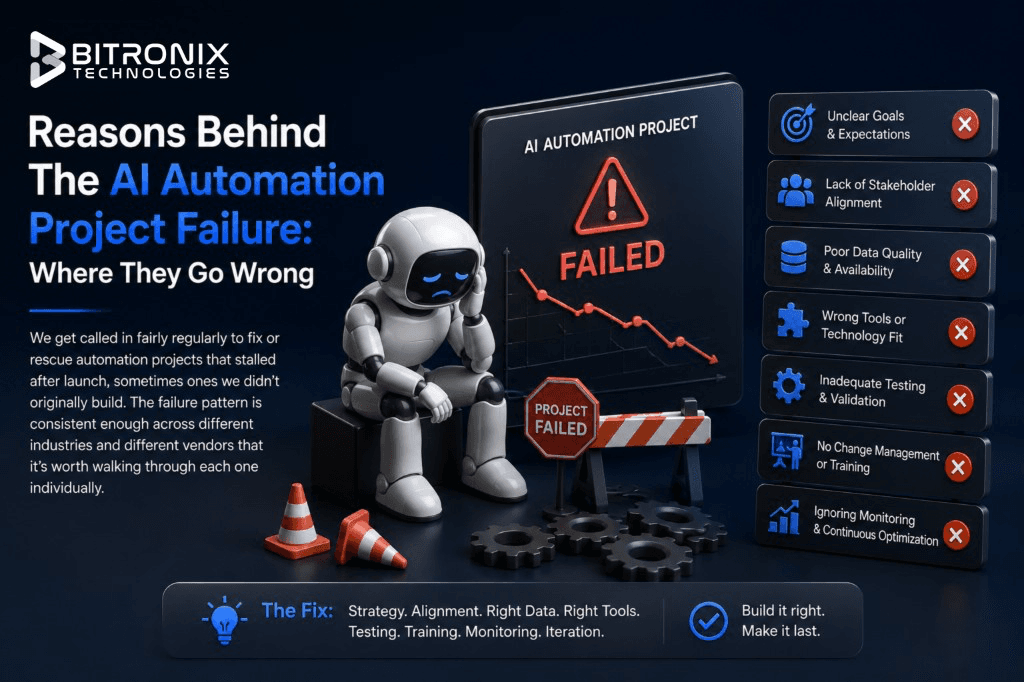
Reasons Behind The AI Automation Project Failure: Where They Go Wrong
We get called in fairly regularly to fix or rescue automation projects that stalled after launch, sometimes ones we didn't originally build. The failure pattern is consistent enough across different industries and different vendors that it's worth walking through each one individually.
The Process Wasn't Standardized First
No One Owned the Evaluation
Underestimating the Last Mile of Edge Cases
Treating It as an IT Project Instead of a Process Change
The Process Wasn't Standardized First
This is the most common failure by a wide margin and it's the one we mentioned at the start of this article for a reason. If three regional offices handle the same task three different ways, automating "the task" doesn't produce one clean system. It either breaks two of the three offices' workflows, or it quietly forces the engineering team to build three separate systems disguised as one, which balloons cost and timeline without anyone quite noticing until it's well underway.
The solution itself isn’t complicated. The more difficult part is the process control that is required before construction starts. You must make stakeholders sign off to ensure everyone agrees on the process documentation and only then begin the construction of the automation process.
No One Owned the Evaluation
When model deployment is done, members see success with the test and move to the following task, then accuracy starts to taper off. Indistinguishable changes in the system inputs occur and no one is the wiser until feedback is provided from the client, or more concerning, from an internal evaluation.
What is needed here is an evaluation harness that is built to operate without end. A single QA check before go-live will not satisfy this need and will not ensure accountability to evaluate the model. Watching the harness operate is not sexy and often gets deprioritized, so it must be documented with a named responsible party.
Underestimating the Last Mile of Edge Cases
The first 80% of accuracy on most automation projects comes surprisingly fast, sometimes within the first few weeks of development. The remaining 20 percent, the oddly formatted documents, the ambiguous support tickets that don't fit any clean category, the multilingual requests, the edge cases nobody thought to mention during scoping, is where most of the actual engineering time goes and it's also where most project budgets run out early because that 20% wasn't accounted for in the original estimate.
Any vendor or internal team that quotes a timeline and budget based purely on the easy 80 percent is setting the project up to either go over budget or ship with a lower reliability rate than anyone was expecting.
Treating It as an IT Project Instead of a Process Change
This is more of an organizational failure than a technical one, but it kills projects just as reliably. The employees whose day-to-day work is actually being automated need to be involved starting in week one, asked about edge cases, shown early prototypes, given a chance to flag what the system gets wrong, rather than simply informed after the system launches that their workflow has changed.
Adoption failures happen far more often because of internal resistance and distrust than because of actual technical shortcomings. A technically excellent system that the affected team doesn't trust or doesn't understand will get quietly worked around and six months later leadership will be told the AI system "didn't really deliver," when the real issue was change management, not the model.
Is Your Organization Actually Ready?
Before a project receives a green light or a vendor is approved, there are a few questions that should be addressed, preferably with the input of the people whose work is being automated:
- Is there a documented and consistent process, or is the process known to a few and varies by region/team? If the process is the latter, the first step should be increasing the standardization of the process and this is a project in itself.
- Is there a commitment to controlling the model after its launch from the internal team or the contractor? Is the answer to the question going to be "we will figure that out later?" If so, this is a gap that should be addressed prior to the project rather than when the model breaks.
- Regardless of how tedious the task is to the person, is there significant volume of repetitive work (hundreds or thousands of tasks) rather than a few each week? Processes with a low volume of repetitive tasks are very unlikely to merit the cost of the automation, regardless of how tedious the task is, due to the fixed cost of automation.
- Rather than expecting full autonomy, is the organization able to tolerate a human-in-the-loop model for the initial months or years of a project? Projects that go straight to autonomy without a ramp-up period are most likely to fail.
When there is strong support to move forward with the initiative, the organization has a mandate to take the next step. Where there is significant opposition, the organization should focus on process documentation, developing a small scope pilot and avoid committing to implementation of the platform.
How To Get Started With Smart AI Solutions Without Overcommitting
Most of the successful projects mentioned here did not originate as initiatives that involved the entire company. Instead, they started with a narrowly defined pilot that involved a single team and a single process and which had clearly defined before-and-after metrics that were agreed upon prior to the establishment of the pilot. This narrow pilot provided evidence that the model was functional before any of the company’s resources were dedicated to a more considerable extent.
Most people agree that this type of slowness is a good thing. For example, a narrowly defined pilot project that fails eats up far fewer resources and far less time than an entire company initiative that fails. Similarly, trust and support for the initiative are lost with a failed company-wide initiative, while they are mostly retained after a failed narrowly defined pilot project.
Perhaps the best project management advice is that even the most accurately defined scoping conversations are the best approach to evaluate where you think AI will fit into the company. It is a low-risk approach. Usually, such conversations will yield far more and in a much shorter timeframe, than a week of vendor presentations. Based on extensive use and experience with this type of process and evaluation, we will tell you bluntly if we think this is a good fit or if it is an overreach.
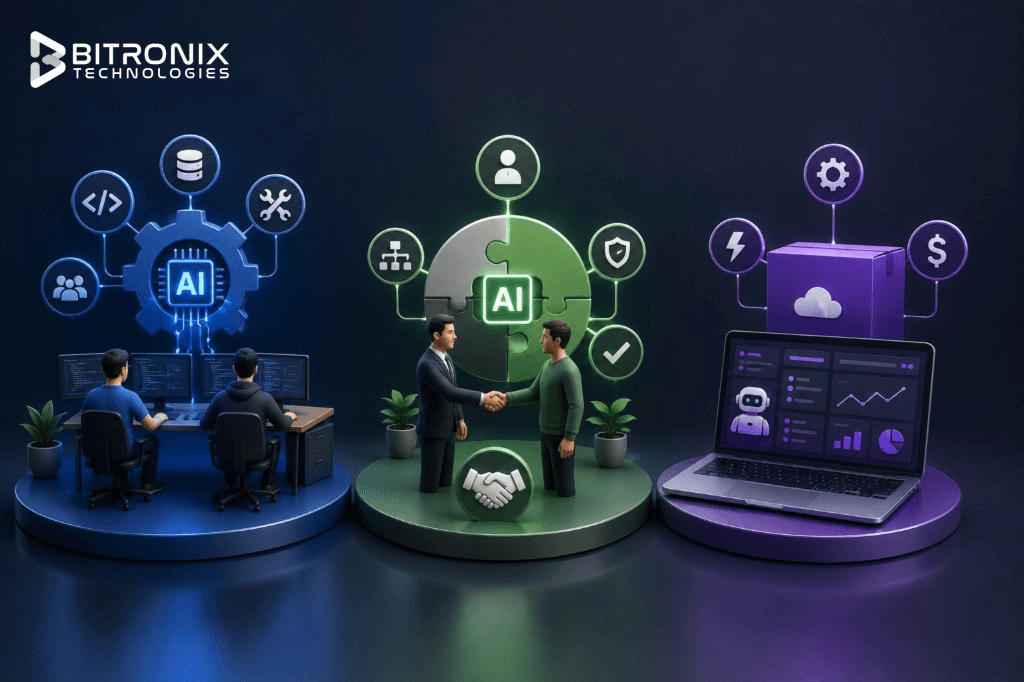
Build In-House Vs Hire AI Automation Partner Vs Buy Off-the-Shelf: Which To Choose
The key difference is who builds and manages the solution, how much customization you need and how much control you want. Off-the-shelf tools tend to be most useful when developing solutions for commonplace use cases. For maximum level of control and if you're looking to have AI automation be central to parts of your business that provide you with a competitive edge, you will want to have your own in-house team. AI Automation partners provide solutions built specifically around your business/organizational workflows and are a great option if you would prefer to not have to hire a dedicated team for AI solutions.
Off-the-shelf tools make sense for genuinely generic processes, basic email drafting assistance, standard meeting transcription and simple scheduling. These aren't processes that differentiate your business from a competitor, so there's little reason to build something custom when a subscription tool does the job adequately.
An in-house team makes sense when AI automation touches your core product or a process so central to your business that you need full control over how it evolves and when you have enough ongoing work to justify a permanent team rather than a project-based engagement. This is a smaller slice of enterprises than the AI hype suggests; building and retaining a competent applied ML team is expensive and genuinely hard to do well and a lot of organizations that tried this in 2023 and 2024 have since scaled it back.
A development partner is typically well aligned with the scenarios this article explores: document processing, support triage, internal knowledge systems, compliance monitoring. They require custom engineering because they involve your data and workflows. However, they may not require a permanent internal team after the solution is built, particularly if the partner continues to monitor and support the system after deployment and does not just walk away after the system is built and deployed.
Most often, enterprises are eager to build an "internal AI team" because that is the most visible and media-friendly action. However, a properly scoped engagement with the right partner would have led to a working system being brought to market faster, at lower total cost and with less organizational risk should the initiative not achieve its expected outcome.
| Factor | Build In-House | Hire an AI Automation Partner | Buy Off-the-Shelf |
|---|---|---|---|
| Best for | Core AI capabilities and strategic processes | Custom business workflows and specialized automation | Generic, repetitive tasks |
| Customization | Very high | Very high | Low to moderate |
| Control | Full control | Shared control with defined ownership | Limited |
| Time to launch | Usually slower | Faster than building from scratch | Fastest |
| Upfront investment | High | Moderate to high, depending on scope | Low |
| Ongoing costs | Salaries, infrastructure, maintenance | Support and maintenance fees | Recurring subscription |
| Technical expertise | Requires permanent AI talent | Access to specialized expertise | Minimal internal expertise needed |
| Scalability | High, but requires team expansion | High, with partner support | Depends on vendor capabilities |
| Data & workflow integration | Deep | Deep and tailored | Often limited |
| Best example | AI-powered core product | Document processing, support triage, compliance automation | Meeting transcription, scheduling, basic email assistance |
Conclusion
AI automation is now more about determining the processes that should be automated and assessing whether the benefits generated are worth the costs. Strongest enterprise use cases increasingly focus on monotony reduction and decision value maximization employing process automation. These use cases focus on standardized and high-volume enterprise processes.
Ideally, a small-scale, focused pilot will be deployed. Employees should be retained where process control and sophisticated judgment are required. Human control and judgment will be required in the pilot and use case for process monitoring and optimization. AI can be measured and scaled to provide a competitive business advantage if the appropriate controls are put in place for the use case. If the opportunity to automate AI is present, the best approach is to engage an AI automation partner to facilitate the use case.
Frequently Asked Questions
How Much Does Enterprise AI Automation Typically Cost?
Generally, standard AI automation development solutions are available for about $25,000 to $50,000. Regarding full production systems that are integrated into your existing enterprise software, you would be looking at a cost of about $100,000 to $400,000, or possibly even more, depending on how detailed or complicated the production system is, how many different systems would be integrated and what compliance mandates your industry would require.
How Long Does It Take To See ROI?
Most well-scoped projects break even somewhere between 6 and 14 months. Document-heavy processes and support triage systems tend to show returns on the faster end of that range, while projects requiring deeper system integration or custom model work tend to take longer.
Do We Need Our Own Data Science Team To Maintain This?
Not necessarily and for most mid-market organizations, building an in-house ML team purely to maintain one automation system isn't cost-effective. Many enterprises run these systems with a development partner handling ongoing monitoring and retraining under a defined SLA instead.
What's The Biggest Risk in an AI Automation Project?
Attempting to automate a process that isn't already standardized across the organization. It's the single most common reason projects stall, need to be rebuilt, or produce inconsistent results that erode internal trust in the system.
Can AI Automation Fully Replace A Team, Or Only Reduce Their Workload?
In the vast majority of the projects we've built, the realistic outcome is workload reduction and reallocation toward higher-judgment work, not full replacement. Full replacement tends to be the exception, usually only viable for extremely narrow, low-risk tasks with no ambiguity in what counts as a correct output.

Founder and CTO
Founder and CTO of Bitronix Technologies. Builds production AI automation, agentic systems and compliance-first deployments for enterprises in regulated industries.
Related Posts
 AI
AISeptember 12, 202627 min read
AI Workflow Automation: How It Works, Benefits & Use Cases
Learn how AI workflow automation works, its benefits, use cases, implementation process, costs and how businesses can automate repetitive workflows.
Read article AI
AIAugust 6, 20267 min read
AI Automation for Ecommerce: The Complete 2026 Guide
A complete 2026 guide to AI automation for ecommerce: what to automate first, real use cases across marketing, inventory and support, costs and a practical rollout roadmap.
Read article AI
AIJuly 24, 202621 min read
AI App Development Cost by Industry: Healthcare, FinTech, Retail & More (2026 Guide)
Learn AI app development costs across Healthcare, FinTech, Retail, Education, Logistics, & more. Explore pricing, cost factors, & budgeting tips for 2026.
Read article